
AI Dance Video: Why It Looks Real but Gets the Moves Wrong
Why does an AI dance video look realistic but miss the routine? Learn what tests show, how motion references help, and how to compare the moves.
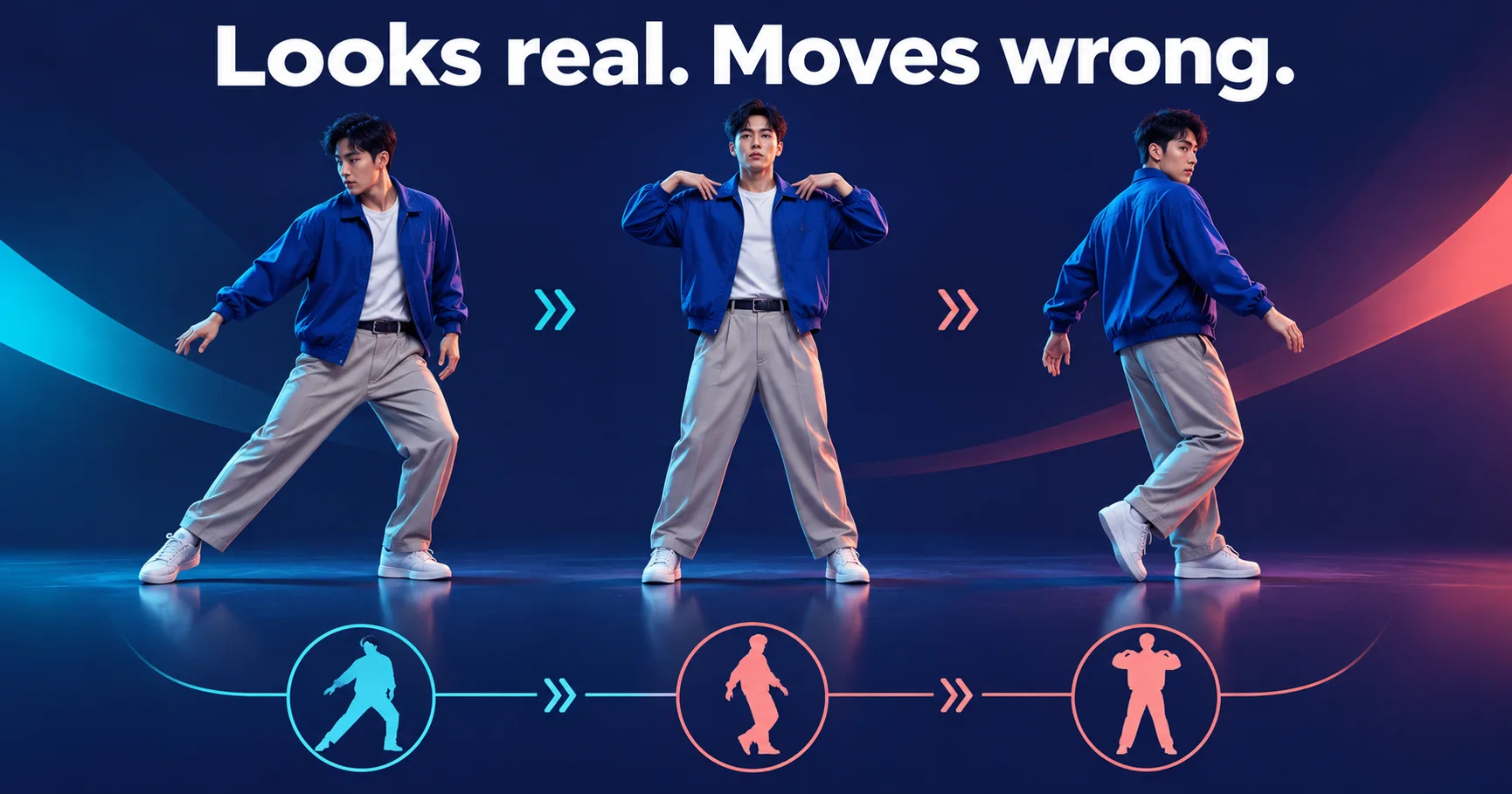
An AI dance video can have a convincing face, believable clothes and smooth camera movement, yet still get the dance wrong. The missing detail may be a heel placement, an arm accent or the order of two steps. Making the picture sharper will not correct that sequence.
If you want a character to perform a particular routine, start with the movement you want to preserve. A reference video gives you a visible sequence to work from and a concrete way to judge the result. The useful question becomes: does this character follow the performance, including its timing and transitions?
Looking real and dancing correctly are different tests
Imagine asking for a side step, a crossed-arm gesture and a quarter turn. The generated dancer looks comfortable and finishes with a smile, but turns before crossing the arms. The movement may look plausible. It still changes the choreography.
There are three separate things to check. Appearance concerns whether the face, outfit and surroundings remain convincing. Physical movement concerns balance, joint positions and contact with the floor. Choreography concerns the chosen actions, their order, their direction and their timing.
A clip can succeed at one and fail at another. A human-looking dancer doing an unrelated routine may work for a playful background scene. It will be less useful when you want to recreate a recognizable move. Decide which result you need before judging a generation by its most attractive frame.
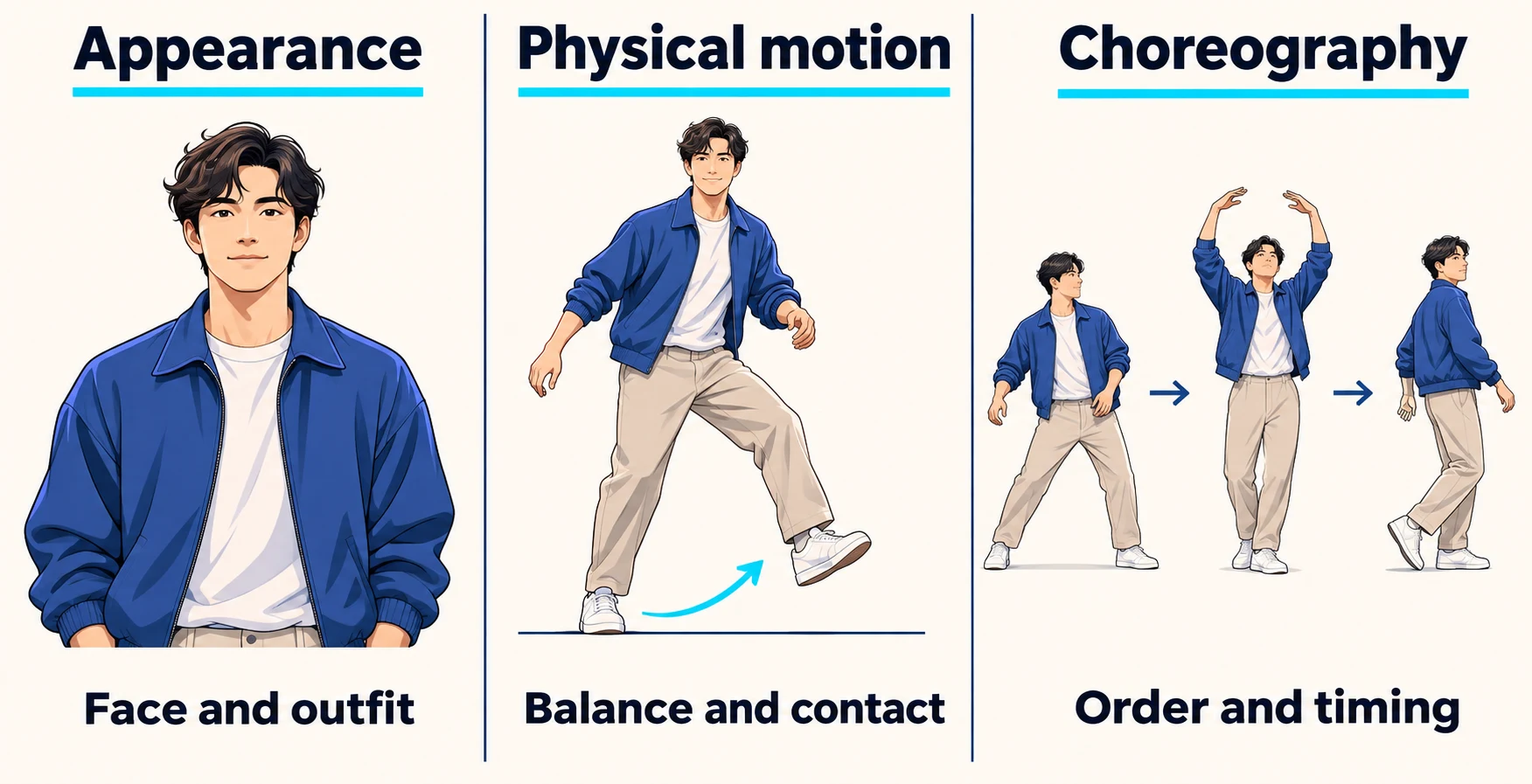
Judge the character's appearance, the body's movement and the chosen sequence separately.
What an earlier dance-video test actually found
In a January 2026 investigation, CalMatters and The Markup generated 36 clips from nine dance prompts across four commercial video models. Thirty-five showed dancing, but the reviewers judged none to perform the requested dance. Eleven also had motion or appearance consistency problems.
Those findings concern that particular test: text prompts, one submission per prompt and model, and no image input. The researchers did not assess specialist human-motion systems. It is a useful example of the gap between a dancing scene and a specified dance, rather than a current ranking of every available workflow.
That distinction also matters when looking at a striking demo. A polished clip establishes what happened in that clip. To decide whether a workflow suits your routine, compare its result with the movement you actually asked it to follow.
Why an AI dance video prompt leaves room for a different routine
A dance name describes much less than a performance. Even a short routine contains choices about which foot leads, where weight shifts, how far the body travels and when the next gesture begins. Describing the mood, lighting and clothing does not settle those movement choices.
A more detailed prompt can make the intended sequence clearer. For example, “take two small steps to the right, bring both hands to the shoulders, then turn left” says more than “perform an energetic dance.” But it still leaves timing, transitions and the shape of each action open to interpretation. Treat that sentence as a description of an idea, rather than a record of a performed sequence.
A reference clip supplies visible movement over time. The character image supplies appearance. This separation is reflected in research such as Animate Anyone, which combines reference-image information, pose guidance and temporal modeling. The research illustrates why appearance and movement need different forms of guidance; it does not establish the implementation of every dance tool.
For a routine you already know, choose a workflow that accepts the actual dance footage. Text can clarify your intended result, while the performance provides the sequence you want to compare against.
Why motion can still feel wrong with a reference
Following a reference introduces a clearer target. It also makes small differences easier to notice. An arm can reach roughly the right position while arriving late. A foot can appear to touch the floor while sliding during the weight shift. A turn can follow the broad direction while losing the original stop.
These are temporal problems: you need several moments to see them. Pausing on a good-looking frame hides what happened just before it and what happens next.
The HumanScore research paper, revised in November 2026, makes a related distinction between visual realism and human-motion fidelity. Its evaluation considers kinematic plausibility, temporal stability and biomechanical consistency. That is a broader motion assessment, not a test of whether a particular dance routine was reproduced.
For your own review, keep both questions visible: can this body move believably, and is it doing the chosen performance? Anatomically plausible movement alone cannot answer the second question.
Choose a reference that lets you see the important moves
Start with one complete movement phrase. Include its preparation, the main gesture and its finish. A fragment that begins halfway through a turn gives you less context for judging the entry into that turn.
Frame the parts that define the routine. Footwork needs visible feet and enough floor to see contact. An overhead gesture needs space above the hands. If the signature action happens outside the frame, neither a description nor a face close-up makes it available for visual comparison.
For a first attempt, use a continuous shot with a clearly visible dancer. This gives you a simpler reference to inspect than a montage of cuts, close-ups and changing viewpoints. Once you understand how the chosen passage behaves, you can make a more informed choice about a harder clip.
Match the character photo to the task too. If the result needs a full outfit and full-body movement, provide an image that shows those details. The photo and dance video have different jobs; choose each for the information it needs to supply.
Compare the routine at matching moments
Watch the source and result from the beginning of the selected passage. Check them at normal speed first, so you can notice the overall rhythm. Then pause at a few distinctive moments: the first step, a clear hand accent, a weight shift, the turn and the finishing pose.
At each moment, look beyond the outline of the body. Which foot supports the dancer? Are the hands completing the same gesture? Does the next action begin at the same point in the phrase? A matching final pose can hide a different route taken to get there.
If you review with music, first make sure both versions start at the same point in the track. An offset soundtrack can make the comparison misleading. Keep timing differences separate from visual ones so you know what needs attention.
A short note is more useful than “the dance feels off.” Write down the visible difference: “right foot slides during the turn,” “arm accent arrives after the stop,” or “second side step is missing.” That observation gives the next change a purpose.
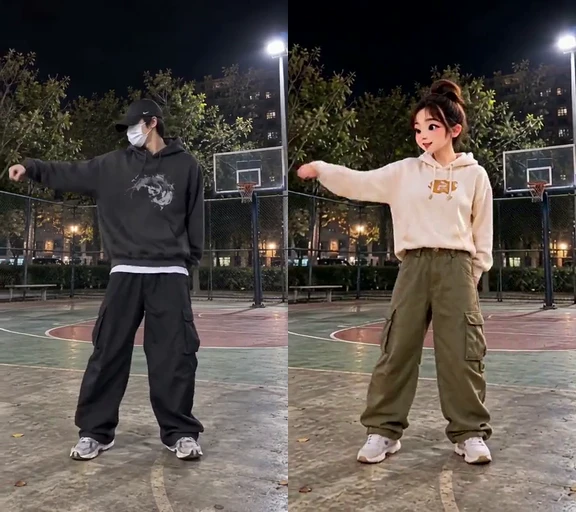
Reference dancer, left, and character result, right, from the existing Shimio example. Compare arm direction and stance at the same moment, then play the clips to judge timing.
Change the input that relates to the problem
When the result performs a different sequence, first check that the selected reference contains the whole phrase you intended. Adding more style adjectives will not restore an action missing from the supplied passage.
When feet or hands disappear, inspect framing in both inputs. When the difficult moment is a fast turn or a long occlusion, consider a passage where that part of the movement is easier to see. These are ways to reduce ambiguity, rather than promises that every motion will transfer perfectly.
If the steps follow the source but the face changes, keep the choreography question separate from the appearance problem. Changing everything together makes it harder to tell whether an adjustment helped.
In the Shimio video workspace, use a character photo and a dance reference, choose the passage with the scissors control, and save the selection with Save clip. Review that selected passage before generating. For the complete upload and creation process, follow the character-swap walkthrough.
Judge the resulting dance against the same passage. When the recognizable gesture, supporting steps and timing work for your intended clip, download the MP4 and use it in your edit. A convincing performance comes from the sequence as a whole, including the moments between the poses.